 Subs
SubsIs there an app that cancels subscriptions for you?
Partly. A few finance apps offer a service that contacts a company and cancels on your behalf, usually as a paid feature and only for subscriptions they support. None of them can cancel a subscription billed through your Apple account; that takes you about thirty seconds in iPhone Settings. Subs is a different kind of app: it doesn't cancel anything for you. It tells you what's renewing, opens the right cancel page and reminds you in time.
Three kinds of “cancel subscriptions” app
| Kind | What it does | What it needs from you |
|---|---|---|
| Cancel-for-you services | Contact the company and cancel as your agent, for the subscriptions they support | Usually linked bank accounts to find the charges, a paid plan, and sometimes your login for the service |
| Trackers with cancel help (Subs is one) | List what you pay for, remind you before each charge, and take you to the right cancel page | The list of your subscriptions. You do the canceling |
| Your iPhone's Settings | Cancels anything billed through your Apple Account | Nothing extra. It's built in |
How cancel-for-you services work
Rocket Money is a well-known example, and its help center is candid about how the service works. The details below are from its own pages:
- You authorize it to act for you. Its terms describe Rocket Money contacting your service provider as your limited agent.
- It's a Premium feature. Viewing and tracking subscriptions is free; the cancellation assistant is for Premium members.
- Not every subscription is supported. If there's no Cancel option on a subscription, it isn't yet able to cancel that one.
- You may have to hand over account details. Some cancellations need more information, such as the login for the account being charged.
- It isn't instant. Most cancellations are completed within a few business days, and a charge may go through before the cancellation is confirmed.
- Some providers can't be done remotely at all. Rocket Money notes that some require account authentication or in-person cancellation.
For a subscription that's hard to cancel by phone or mail, handing it to a service like that can be worth it. For most streaming and app subscriptions, canceling yourself is faster than filling in the request.
Why no app can cancel your Apple subscriptions
Subscriptions billed through the App Store can only be canceled from your own Apple Account. Rocket Money says so directly: Apple's security measures prevent it from canceling recurring charges billed through your Apple account, and subscriptions billed through a third-party platform must be canceled on that platform.
The good news is that these are the easiest ones to cancel: Settings › [your name] › Subscriptions, tap the subscription, tap Cancel Subscription. The steps and the edge cases are in how to cancel subscriptions on iPhone.
Be wary of any app that claims to cancel App Store subscriptions automatically. At most it can open that Settings screen for you.
What Subs does instead
Subs is listed on the App Store with “Cancel Subscriptions” in its name, so to be plain: Subs does not cancel subscriptions on your behalf. It has no access to your accounts and never asks for your logins. What it does is shorten the distance between deciding and canceling:
- It tells you what to cancel. The monthly check-in asks how often you use each subscription, and Ask Subs answers “what should I cancel?” with the ones you rarely use and what they cost per year.
- It tells you when. A reminder before each renewal and before a trial converts, while canceling still saves you the charge.
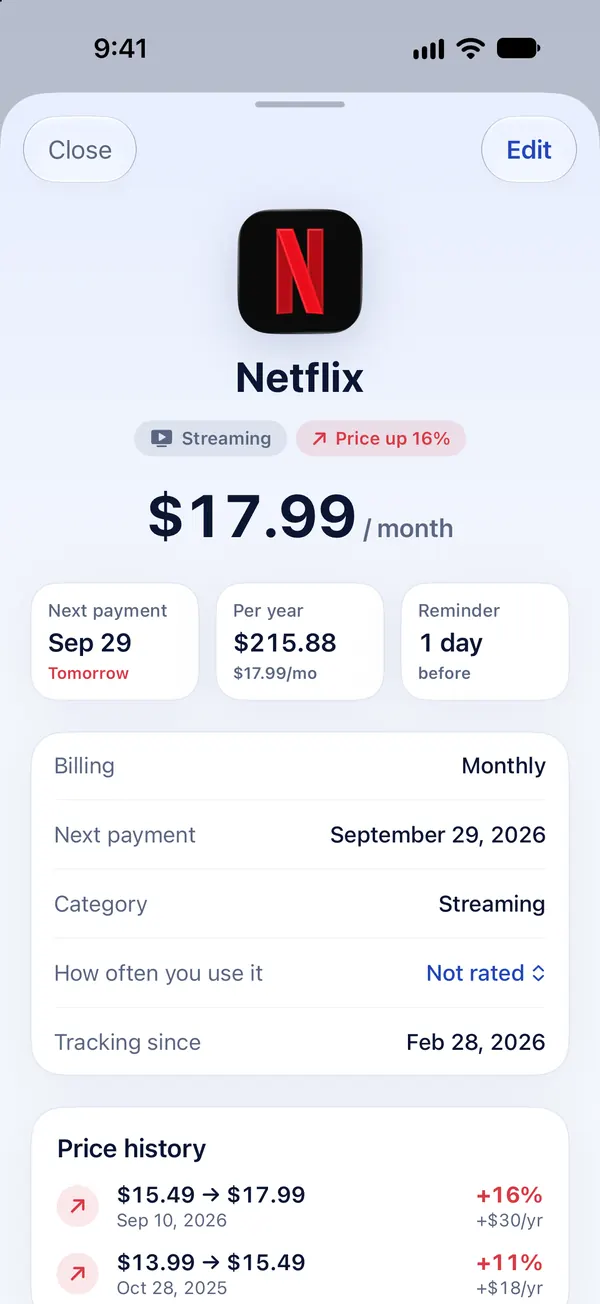
- It takes you to the right place. Each subscription has a cancel card: a button to Apple's subscription list for Apple-billed services, or to the service's own account page for popular services billed directly.
- It writes the email. For companies that want a written request, Subs drafts a short cancellation or refund email on your iPhone for you to review and send from Mail.
- It points you to Apple for refunds. App Store charges are refunded only by Apple, and the cancel card links to the request page.
Which one do you need?
- Mostly App Store subscriptions: you don't need a cancel service. Use Settings, and a tracker if you want reminders.
- A handful of streaming services billed directly: cancel them yourself with a guide; it takes a few minutes each. We keep verified guides for Netflix, Hulu, Disney+, Amazon Prime, Audible and more.
- Something that fights back (a gym, a contract, a provider that only cancels by phone): a cancel-for-you service may save you the hassle, if it supports that provider.
- You don't know what you're paying for: start by finding your forgotten subscriptions. You can't cancel what you can't see.
For a side-by-side of the two approaches, see Subs as a Rocket Money alternative.
Frequently asked questions
Is there an app that will cancel all my subscriptions?
Not all of them. Cancel-for-you services handle the subscriptions they support, usually on a paid plan, and none can cancel subscriptions billed through your Apple account. Those you cancel yourself in iPhone Settings.
Can Subs cancel subscriptions for me?
No. Subs doesn't have access to your accounts. It shows what's renewing, opens the right cancel page, and can write a cancellation or refund email for you to send.
Can any app cancel App Store subscriptions automatically?
No. Subscriptions billed by Apple are canceled from your own Apple Account, in Settings › [your name] › Subscriptions. Rocket Money says Apple's security measures prevent it from canceling them.
Are cancel-for-you services free?
Rocket Money, a well-known one, offers its cancellation assistant to Premium members; tracking subscriptions is free.
Is it safe to give an app my login so it can cancel for me?
That's your call. A cancel service may ask for the login of the account being charged. If you'd rather not share it, cancel yourself: for most services it takes a few minutes with the right steps.
What's the fastest way to cancel a subscription on iPhone?
If Apple bills you: Settings, your name, Subscriptions, tap the subscription, Cancel Subscription. If the company bills you directly, sign in on its website and cancel in your account.
Sources
The steps and facts on this page were last checked against the official pages below on :
- Rocket Money Help: How do I cancel a subscription on Rocket Money?
- Rocket Money Help: Why can't Rocket Money cancel this?
- Rocket Money Help: Why do I need to provide more information to cancel my subscription?
- Rocket Money Help: Canceling a subscription billed through your Apple account
- Rocket Money: Terms of Service
- Apple Support: Cancel a subscription from Apple
Companies change their menus and policies without notice. If something here no longer matches what you see, the official page is the final word.
Subs is an independent app. It is not affiliated with, endorsed by or sponsored by Rocket Money. The Rocket Money name is used only to identify the service this page describes.