 Subs
SubsA Rocket Money alternative for iPhone that doesn't link to your bank
Rocket Money is a full personal finance app: it links to your bank accounts, finds subscriptions in your transactions, and Premium members can ask it to cancel some of them. Subs is narrower. It's an iPhone subscription tracker that never connects to a bank; you add subscriptions yourself or import a statement screenshot, and it reminds you before each charge. If you want budgeting and automatic detection, Rocket Money does more. If you don't want to link accounts, Subs is the alternative.
The short comparison
Everything in the Rocket Money column comes from Rocket Money's own website and help center, checked on the date above. Details can change, so follow the source links at the bottom before deciding.
| Rocket Money | Subs | |
|---|---|---|
| What it is | A personal finance app: subscriptions, spending, budgets, net worth, credit score, bill negotiation | A subscription tracker: subscriptions, free trials, installment plans and monthly bills |
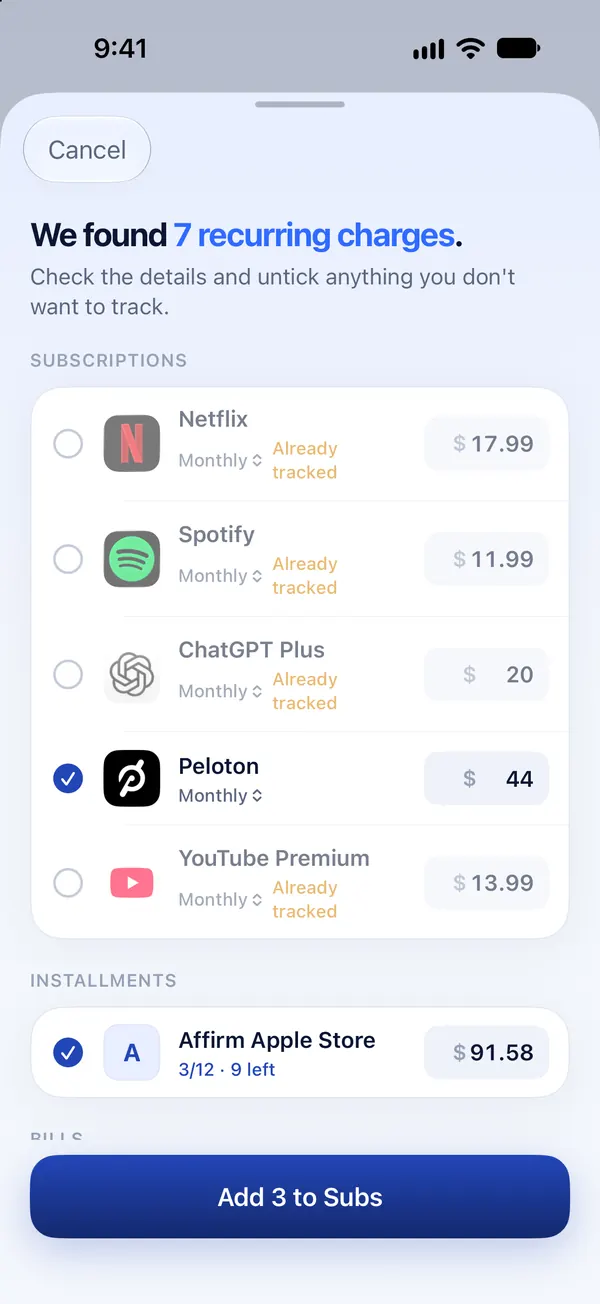
| How it finds subscriptions | Analyzes transactions from bank accounts and cards you connect through Plaid | You pick from a list, type them in, or import a screenshot or PDF statement read on your iPhone |
| Bank connection | Expected: its help center says you'll want to link at least one bank account | None. No bank login, ever |
| New subscriptions | Detected automatically from linked accounts | Not automatic: you add them or import a newer statement |
| Canceling | Premium members can ask it to cancel on their behalf, for subscriptions it supports | Doesn't cancel for you. Opens the right cancel page, gives steps and drafts a cancellation email |
| Apple-billed subscriptions | Can't cancel them: it says Apple's security measures prevent it | Opens Apple's subscription list, where you cancel in a few taps |
| AI assistant | An AI financial assistant on its Premium+ tier | Ask Subs, which runs on-device with Apple Intelligence |
| Platforms | iPhone and Android; the web version is a Premium feature | iPhone only |
| Where it works | United States only, with US-based banks | Anywhere the App Store offers it, in your local currency |
| Free version | Yes: you can view and track subscriptions on the free plan | Free to download and set up; day-to-day use needs Subs Premium |
Where Rocket Money is the better choice
It would be easy to write this page as if Subs wins everything. It doesn't.
- You want it to find subscriptions without your help. Linked accounts mean a new recurring charge shows up on its own. Subs only knows what you add or import.
- You want someone else to do the canceling. Rocket Money's Premium cancellation service contacts the provider as your agent. Subs can't do that.
- You want a whole budgeting app. Spending categories, net worth, credit score and savings goals are outside what Subs does.
- You want a free tier you can live in. Rocket Money lets you view and track subscriptions without paying. Subs is free to set up, but adding subscriptions later, importing statements and the other main features are part of Subs Premium.
- You use Android or a computer. Subs is iPhone only.
Where Subs is the better choice
- You don't want to link a bank account. Rocket Money explains that it connects through Plaid and never stores your bank login, and that a token lets it view your transaction data. If you'd rather not grant that access at all, Subs never asks: it reads a screenshot or PDF you choose, on your iPhone, and the file isn't uploaded.
- You're outside the US, or your bank isn't supported. Rocket Money says it's only available to users in the United States with US-based banks. Subs doesn't depend on a bank at all.
- Most of your subscriptions are billed by Apple. Rocket Money says it can't cancel recurring charges billed through your Apple account, so you'd be canceling those yourself either way. Subs opens Apple's subscription list for you.
- You mainly want reminders. Subs is built around a notification before every renewal and before a trial converts, per subscription, from the same day up to a week ahead.
- You want a private assistant. Ask Subs answers questions like “what's due this week?” and “what should I cancel?” on your iPhone, without sending your spending to a server.
What “cancel for you” really covers
The cancellation service is the main reason people look at Rocket Money, so it's worth knowing its limits, as Rocket Money describes them:
- It's available to Premium members.
- If there's no Cancel option on a subscription, Rocket Money isn't yet able to cancel that one.
- Subscriptions billed through a third-party platform, including Apple, have to be canceled on that platform.
- Some providers require account authentication or in-person cancellation, and you may be asked for the login details of the account being charged.
- Most cancellations are completed within a few business days, and a charge may go through before the cancellation is confirmed.
More on this, and on what you can do yourself in under a minute, in apps that cancel subscriptions.
Cost
We don't list prices on this site, ours or anyone else's, because they change and vary by country. In outline: Rocket Money has Free, Premium and Premium+ tiers, describes Premium pricing as a sliding scale you choose, and offers new Premium members a 7-day free trial. Bill negotiation is a separate service whose terms change on November 2, 2026, when Rocket Money says it becomes available only with Premium+. Subs is free to download, and the app shows the price of Subs Premium before you subscribe.
Can you use both?
Yes: a finance app for the overall budget, and Subs for the reminders and the subscriptions a bank feed describes badly, such as several services hiding behind one APPLE.COM/BILL line. If you're choosing one, the question is simply whether you want an app connected to your accounts. If yes, Rocket Money does more. If no, try Subs.
Frequently asked questions
Is there an app like Rocket Money that doesn't need my bank login?
Yes. Subs tracks subscriptions without connecting to a bank. You add them from a built-in list, type them in, or import a screenshot or PDF statement that is read on your iPhone.
Does Rocket Money require linking a bank account?
Its subscription detection works by analyzing transactions from accounts you connect through Plaid, and its help center says you'll want to link at least one bank account. Bills and subscriptions can also be added manually in its mobile app.
Can Rocket Money cancel my Apple subscriptions?
No. Rocket Money says Apple's security measures prevent it from canceling recurring charges billed through your Apple account. You cancel those in iPhone Settings › [your name] › Subscriptions.
Does Subs cancel subscriptions for me like Rocket Money?
No. Subs can't sign in to your accounts. It opens the right cancel page, shows the steps and can write a cancellation or refund email for you to send.
Is Subs free like Rocket Money's free plan?
Not in the same way. Rocket Money's free plan lets you view and track subscriptions. Subs is free to download and set up, but day-to-day use needs Subs Premium.
Does Subs work outside the United States?
Yes. Subs doesn't rely on bank connections and uses your local currency. Rocket Money says it is only available in the United States with US-based banks.
Sources
The steps and facts on this page were last checked against the official pages below on :
- Rocket Money: Frequently asked questions
- Rocket Money Help: How do I cancel a subscription on Rocket Money?
- Rocket Money Help: Why can't Rocket Money cancel this?
- Rocket Money Help: Canceling a subscription billed through your Apple account
- Rocket Money Help: Premium Membership features
- Rocket Money Help: How much does Rocket Money cost?
- Rocket Money Help: Does Rocket Money support international banks?
- Rocket Money: Security
- Rocket Money: Terms of Service
Companies change their menus and policies without notice. If something here no longer matches what you see, the official page is the final word.
Subs is an independent app. It is not affiliated with, endorsed by or sponsored by Rocket Money. The Rocket Money name is used only to identify the service this page describes.