 Subs
SubsReminders before every charge
On the day, 1 to 3 days or a week before, per subscription. Free trials get a reminder before they turn into paid plans.
Subscription tracker for iPhone
Subs puts every subscription, free trial, installment and monthly bill in one clear view, reminds you before each charge, and shows you exactly what to cancel. Your data stays private, and the AI runs on your iPhone.
For iPhone with iOS 17 or later. Ask Subs chat uses Apple Intelligence.
New: Ask Subs
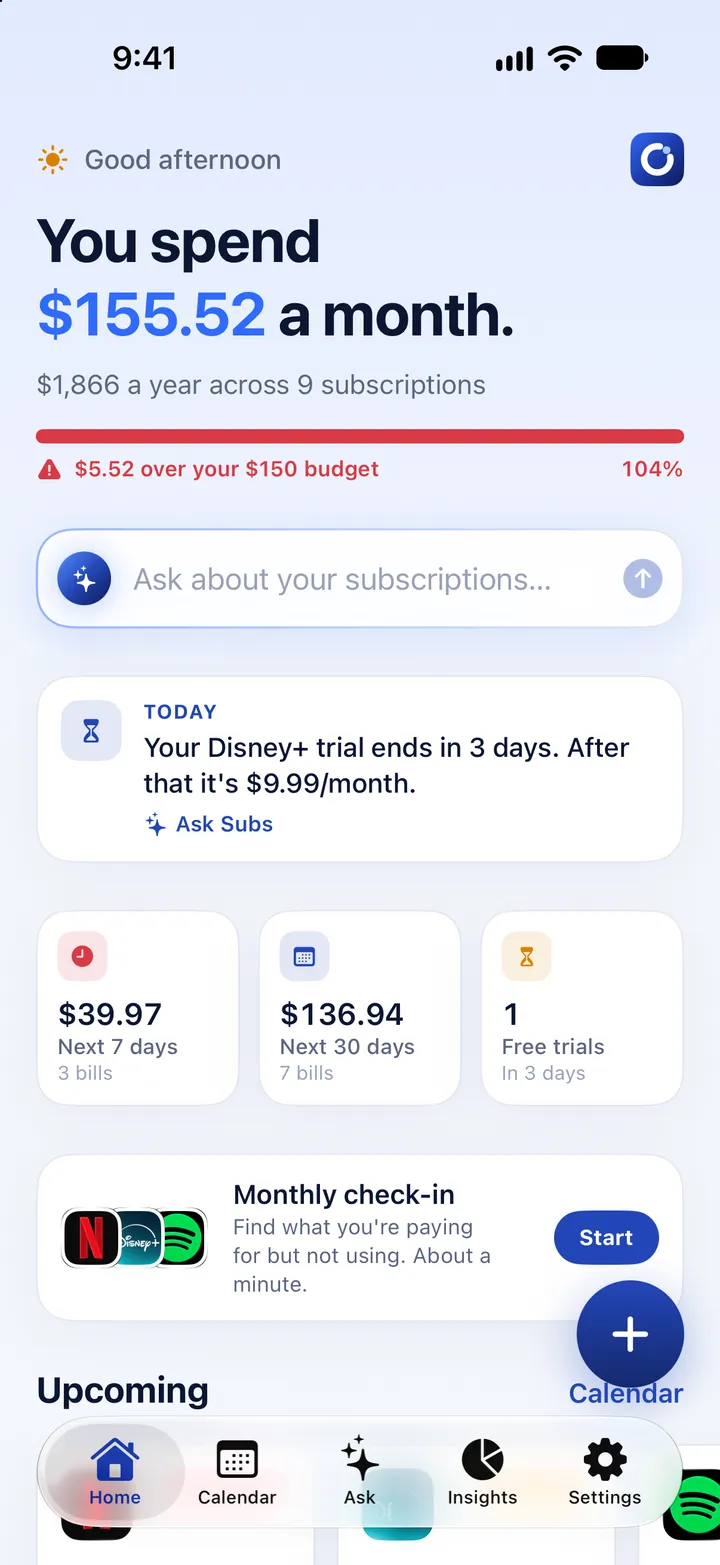
Ask Subs is a private assistant that knows your subscriptions and nothing else. It runs on Apple Intelligence directly on your iPhone, so your questions and your spending never leave the device.
Import in seconds
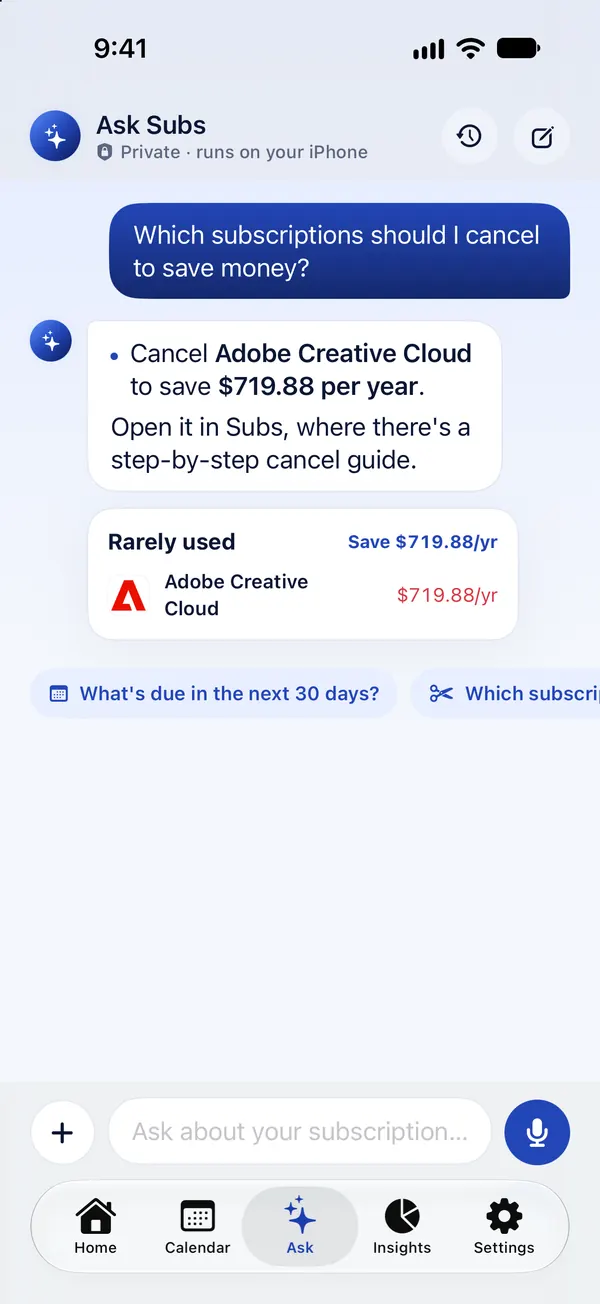
Add a screenshot of your banking app or a PDF card statement. Subs reads it on your iPhone and picks out subscriptions, installment plans and monthly bills, skipping one-off purchases and anything you already track.
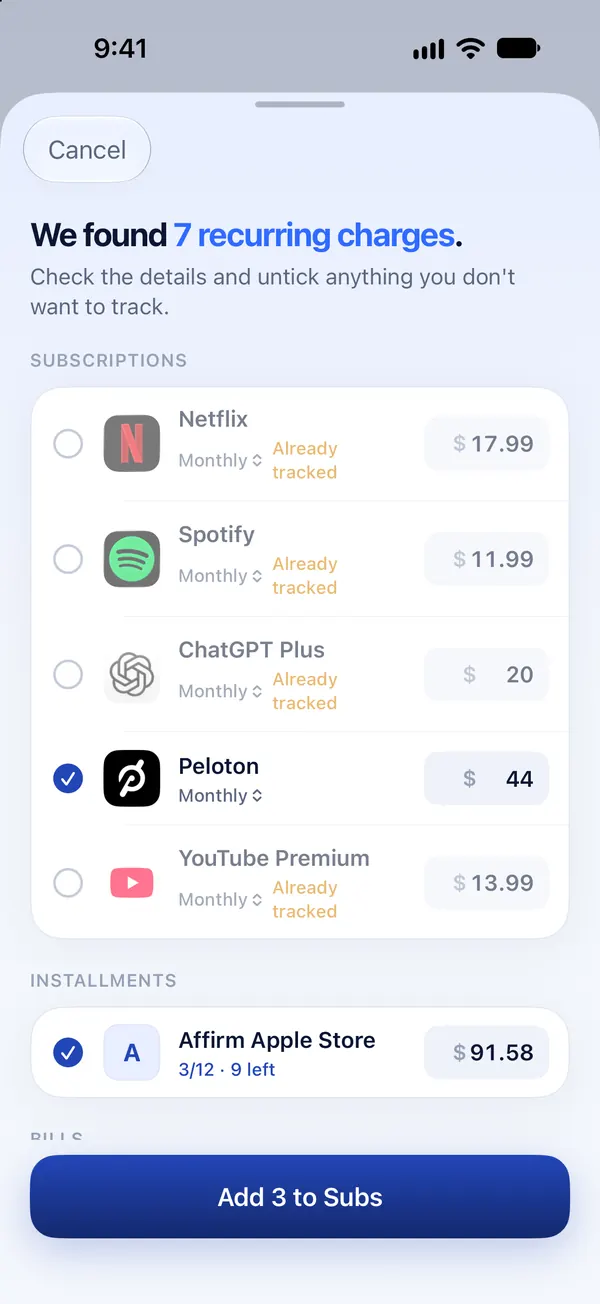
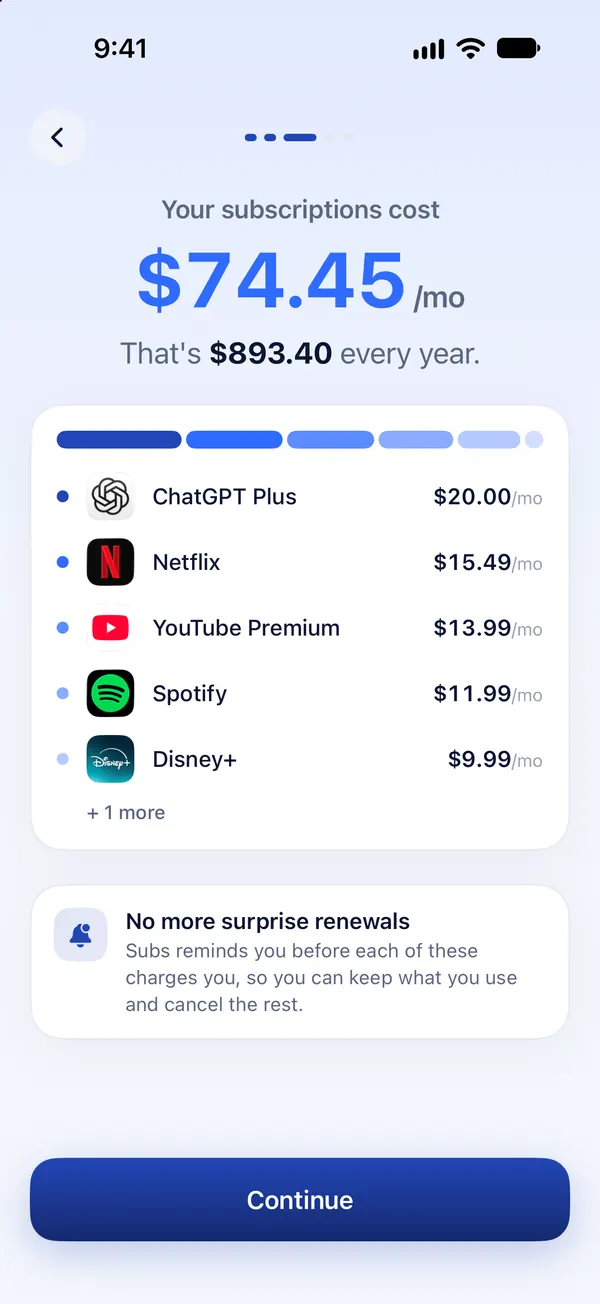
Subs is built around one goal: no more surprise charges, and no more paying for things you don't use.
On the day, 1 to 3 days or a week before, per subscription. Free trials get a reminder before they turn into paid plans.
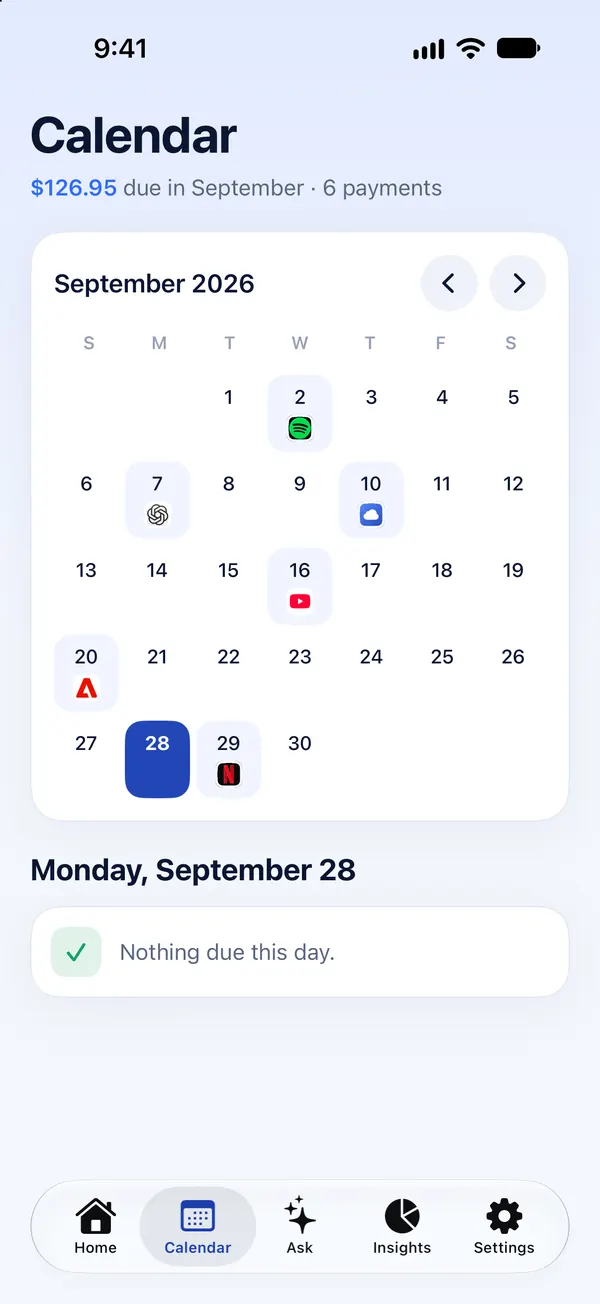
See every upcoming charge on a calendar with a monthly total, so there are no surprises on your card.
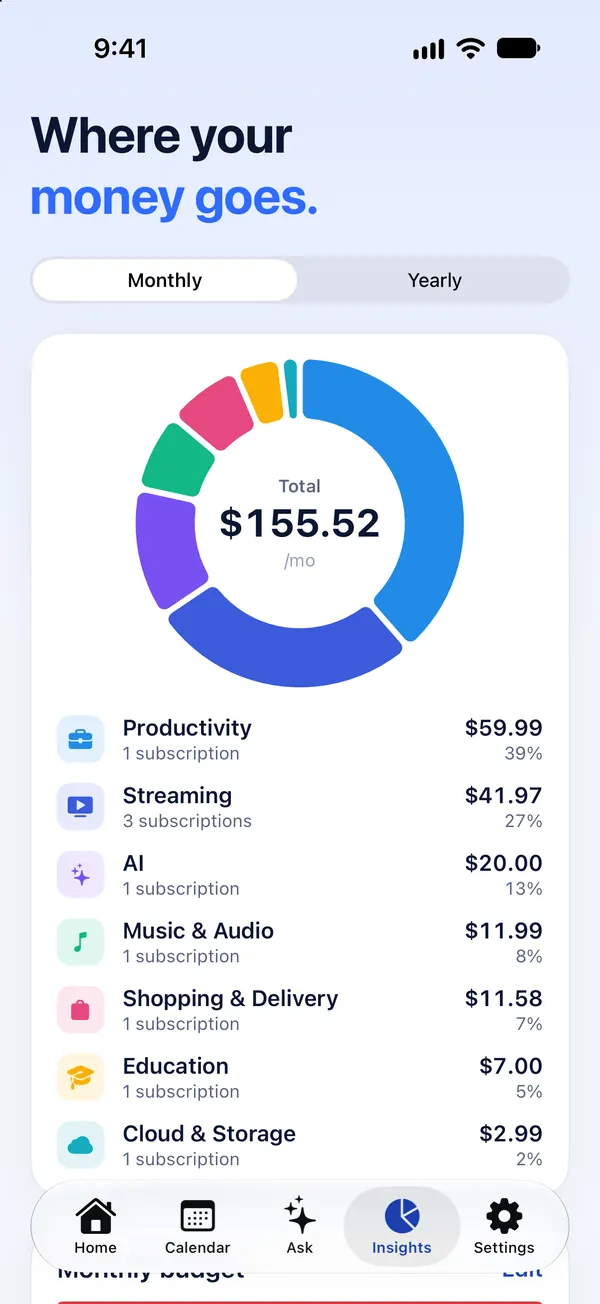
See where your money goes by category, monthly or yearly, and set a budget with a clear progress bar.
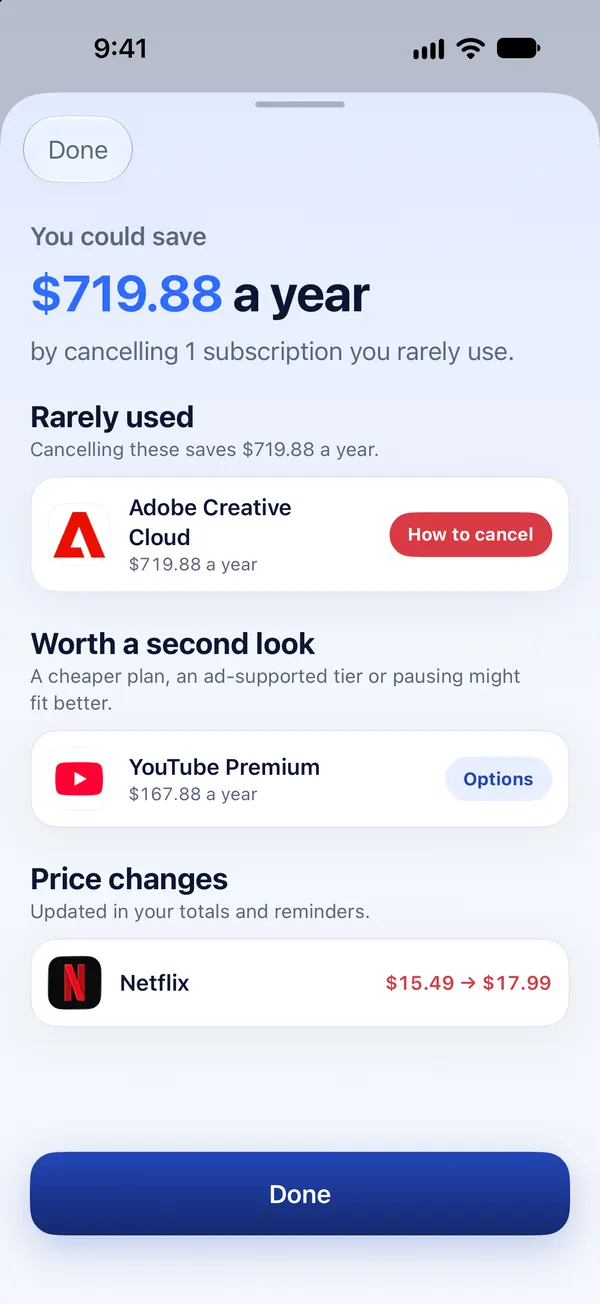
A one-minute review: rate how often you use each subscription and Subs shows what you'd save by canceling.
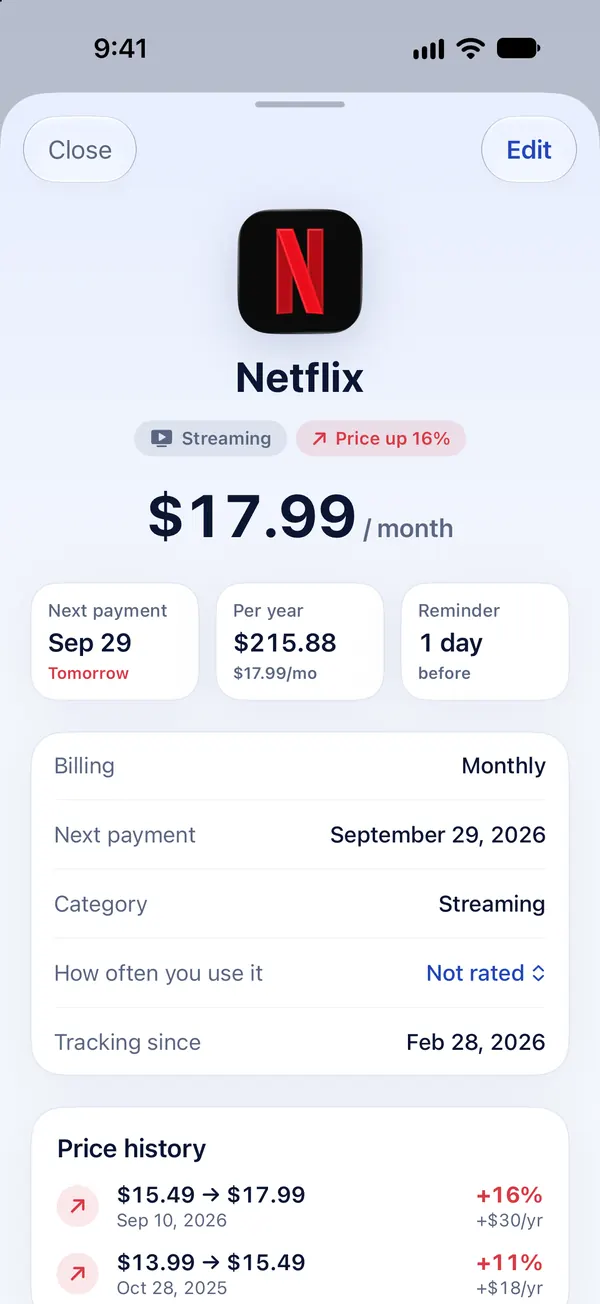
Record a new price and Subs keeps the history, shows the percentage change and what it costs you per year.
Step-by-step cancel instructions and links for popular services, App Store refund help, and a ready-to-send cancellation or refund email.
Home and Lock Screen widgets for your next payments, and Siri shortcuts like “What's due in Subs”.
No sign-up, no bank login and no email access. AI features run on your iPhone.
Pick from 80+ popular services, or import a screenshot or card statement and let Subs find them for you.
Subs reminds you before every renewal and before free trials end, so you decide before you pay.
The monthly check-in and Ask Subs show what's worth keeping. Cancel guides take you the rest of the way.
Subs never asks for your bank login, your email or your name. Screenshots and statements are read on your iPhone, and Ask Subs runs entirely on-device with Apple Intelligence.
The short version, for people (and assistants) comparing subscription trackers.
| What it is | A subscription tracker and cancel helper for iPhone |
|---|---|
| Tracks | Subscriptions, free trials, installment plans and monthly bills |
| Adding | 80+ built-in services, manual entry, or import from a screenshot or PDF card statement |
| Reminders | Before every renewal (on the day up to a week before), before trials end, a monthly check-in and a Monday summary |
| AI assistant | Ask Subs: runs on-device with Apple Intelligence; conversations never leave the iPhone |
| Privacy | No bank login, no email access, anonymous account |
| Requirements | iOS 17 or later; Ask Subs chat needs an Apple Intelligence iPhone (iPhone 15 Pro or newer) |
| Price | Free to download and set up; day-to-day use needs Subs Premium, an auto-renewing subscription |
Cancel App Store subscriptions in iPhone Settings in under a minute, and find where to cancel the ones billed outside Apple, like Netflix or Hulu.
Read guideRequest a refund from Apple for a subscription or in-app purchase at reportaproblem.apple.com: the steps, how long it takes and what blocks a request.
Read guideSee, check and manage your subscriptions on iPhone in Settings, find family and past purchases, and learn which subscriptions Apple's list leaves out.
Read guideA checklist for finding subscriptions you forgot: Apple's list, email receipts, card statements, PayPal, Google, Amazon and your carrier bill.
Read guideCancel Netflix from your iPhone or the web, including old Apple-billed accounts. What happens to your profiles, how to pause, and when billing stops.
Read guideCancel your Audible membership on the mobile site or in iPhone Settings. Use your credits first: they're lost when the last billing cycle ends.
Read guideSubs is an iPhone app that keeps all your subscriptions, free trials, installment plans and monthly bills in one place. It reminds you before each charge, shows what you spend per month and per year, and helps you cancel the ones you don't use.
No. Subs never asks for bank credentials or access to your email. You add subscriptions yourself, pick them from the built-in list, or import a screenshot or PDF statement, which is read on your iPhone and never uploaded.
Add a screenshot, a photo or a PDF of your card statement. Subs reads the text on your iPhone with Apple's Vision framework, finds recurring charges, installment plans and bills, and shows them for review. You untick anything you don't want, and only the ones you keep are saved.
Ask Subs is a chat assistant that answers questions about your subscriptions, like what's due this week or what you could cancel. It runs on Apple Intelligence directly on your iPhone, so questions and answers are never sent to a server. Totals and dates are calculated from your data rather than guessed by the AI.
Free-form chat needs Apple Intelligence, available on iPhone 15 Pro and newer with Apple Intelligence turned on. On other iPhones, Ask Subs still answers the most common questions instantly from your data.
Subs can't cancel on your behalf, because only you can sign in to your accounts. It shows step-by-step cancel guides for popular services, links to the right settings, and can write a cancellation or refund email for you to send.
Open Settings, tap your name, then Subscriptions. Choose the subscription and tap Cancel Subscription. You keep access until the end of the period you've paid for.
Subs is free to download, and you can set up your list and see what it adds up to without paying. Day-to-day use needs Subs Premium, an auto-renewing subscription: adding more subscriptions later, opening their details and cancel help, importing statements, the payment calendar, spending insights and Ask Subs. The price is shown in the app before you subscribe, and you can cancel any time in your iPhone's Settings.
Most people are surprised by their yearly total. Add your subscriptions in a minute and see yours.
Download on theApp Store